If the most important sentence in your video is only spoken, a large share of your audience never hears it.
Quick answer
Captions turn the speech and important sounds in a video into synchronised text; a transcript gives the same content as plain text next to the player. WHO estimates that approximately 190 million people in the WHO European Region, about 1 in 5, have some hearing loss or deafness. In the EU, 11.4% of people aged 16 and over reported moderate or severe difficulty hearing in 2025, rising to 38.0% among people aged 75 and over (Eurostat). WCAG 2.2 requires captions for prerecorded video under 1.2.2 Captions (Prerecorded) and for live video under 1.2.4 Captions (Live).
Who benefits from captions and transcripts?
- Deaf people. For many Deaf people, a sign language is their first language and written text is a second language. Captions are essential, and sign language interpretation is the strongest option for key content.
- Hard of hearing people. Most people with hearing loss are not profoundly deaf. They may hear some speech but miss words, especially with background music, fast speakers or poor audio. Captions fill the gaps.
- Older people. Hearing loss becomes much more common with age, as the figures below show.
- People with auditory processing or attention difficulties, and people watching in a second language.
- Everyone watching with the sound off, on a train, in an open-plan office or next to a sleeping child.
A transcript also helps deafblind users who read with a braille display, people on slow connections, and anyone who wants to search or skim the content instead of watching it.
How many people in Europe have hearing loss?
Europe-wide figures:
- WHO estimates that approximately 190 million people in the WHO European Region have some hearing loss or deafness, which it describes as 20% of the population, or 1 in 5 people. This is a modelled estimate that includes mild hearing loss.
- Worldwide, WHO estimates that 430 million people (over 5% of the world's population) require rehabilitation for disabling hearing loss, and projects that nearly 2.5 billion people will have some degree of hearing loss by 2050.
- In the EU, 11.4% of people aged 16 and over reported moderate or severe difficulty hearing in 2025, and 1.8% reported severe difficulty. Source: Eurostat, EU-SILC 2025, self-reported.
- Applied to the EU population aged 16 and over on 1 January 2025 (381.6 million), that is roughly 43 million people with moderate or severe difficulty hearing and about 7 million with severe difficulty. This is our own calculation from Eurostat data, not an official count.
Hearing difficulty rises sharply with age (EU-27, 2025, moderate or severe):
| Age group | Difficulty hearing |
|---|---|
| 16 to 64 | 5.6% |
| 65 and over | 27.5% |
| 75 and over | 38.0% |
Source: Eurostat, ilc_hch19, EU-SILC 2025.
Country-level figures, EU-SILC 2025 (people aged 16 and over, self-reported):
| Country | Moderate or severe difficulty hearing | Severe difficulty hearing |
|---|---|---|
| EU-27 | 11.4% | 1.8% |
| Germany | 11.1% | 2.5% |
| France | 11.5% | 1.9% |
| Italy | 7.4% | 1.2% |
| Spain | 14.0% | 2.6% |
| Poland | 11.0% | 1.5% |
| Netherlands | 18.7% | 1.4% |
| Belgium | 9.0% | 1.1% |
| Austria | 13.3% | 1.3% |
| Sweden | 14.1% | 1.2% |
| Denmark | 21.3% | 1.6% |
| Finland | 14.0% | 1.7% |
| Ireland | 7.8% | 1.5% |
| Portugal | 12.3% | 2.3% |
Source: Eurostat dataset ilc_hch19, 2025, retrieved November 2026. Survey answers depend partly on how people interpret the questions, so country differences should be read with care.
Why do the WHO and Eurostat numbers differ so much? They measure different things. WHO's 190 million is a modelled estimate of all hearing loss, including mild loss that people may not notice or report, across the whole WHO European Region. Eurostat's 11.4% counts adults in the EU who themselves report moderate or severe difficulty hearing. Both point the same way: hearing loss is common, and it becomes very common as people get older.
How missing captions affect people online
Video is now everywhere on commercial websites: product demos, onboarding tours, webinars, event promos, support tutorials and social clips embedded on landing pages. Common barriers include:
- No captions at all. The video simply has no text track.
- Auto-generated captions that are never checked. Automatic speech recognition gets names, prices, addresses and technical terms wrong, exactly the details people need.
- Captions burned into the image with poor contrast, or too small to read on a phone.
- Key information only in the audio. A presenter says "the shuttle leaves from the old harbour", but the page text never mentions it.
- Autoplay with sound and no visible pause or mute control. This is a problem for screen reader users and many others, not only people with hearing loss.
- Audio-only content without a transcript, such as podcasts and recorded phone messages.
- Live streams with no live captions, which shuts deaf and hard of hearing people out of webinars and events.
Try it yourself
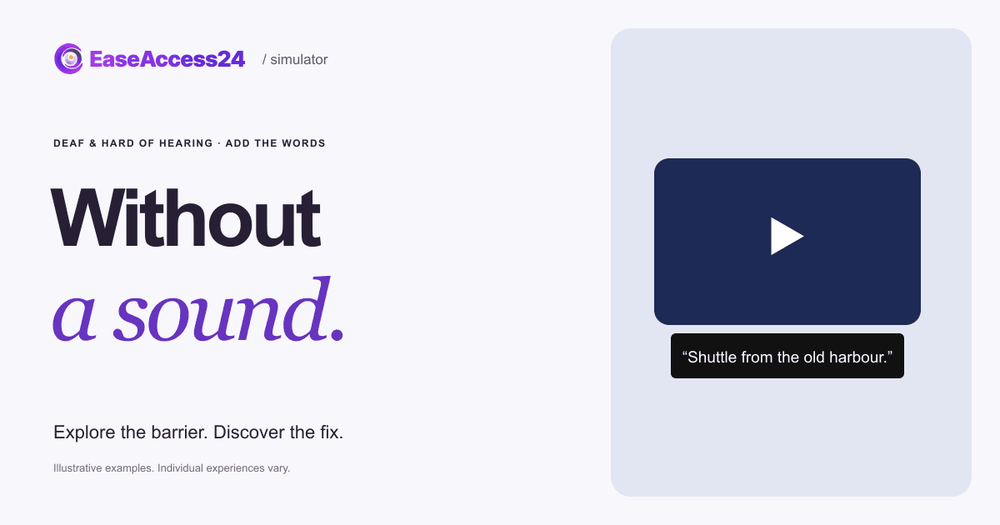
In our free Accessibility Simulator captions example, "Without a sound", you watch a short promo video for a fictional concert. Your task is to find out where the free shuttle leaves from.
The video plays silently on purpose; no audio plays in this example. The presenter says exactly where the shuttle leaves, but with no sound and no captions, that sentence never reaches you. When you select Show the fix, captions timed to the speech appear, and a full transcript is added below the player. The video still plays without sound: only access to the words changes. You can pause at any time and switch between the two versions to compare them.
The example shows one design barrier. It does not represent anyone's lived experience, and hearing loss varies widely from person to person.
How to fix video and audio on your website
The WCAG 2.2 success criteria most often involved are given in brackets.
Captions
- Add accurate, synchronised captions to every prerecorded video with speech or meaningful sound. (1.2.2 Captions (Prerecorded), Level A)
- Provide real-time captions for live video, such as webinars and live streams. (1.2.4 Captions (Live), Level AA)
- Include speaker names when it is not obvious who is talking, and important sounds such as [applause] or [alarm].
- Use closed captions (a separate caption file, such as WebVTT) rather than burning them into the video, so users can turn them on and off and adjust their size.
- If you start from automatic captions, always have a person review and correct them, especially names, numbers and places.
Transcripts and alternatives
- Provide a transcript for audio-only content such as podcasts. (1.2.1 Audio-only and Video-only (Prerecorded), Level A)
- Publish a full transcript next to each video, including speaker names and important sounds. For prerecorded video, a full text alternative that includes visual information is required at the highest level. (1.2.8 Media Alternative (Prerecorded), Level AAA)
- For videos where important information is only shown visually, add audio description or a text alternative so blind users get it too. (1.2.3 Audio Description or Media Alternative (Prerecorded), Level A; 1.2.5 Audio Description (Prerecorded), Level AA)
Player and page
- Do not autoplay sound. If audio plays automatically for more than three seconds, provide an obvious way to pause or stop it or control its volume. (1.4.2 Audio Control, Level A)
- Choose a media player whose controls, including the captions button, work with a keyboard and screen reader.
- Put key facts such as places, dates, times and prices in the page text as well as in the video.
Automated scanners can tell you that a video exists, but not whether its captions are accurate. Our free accessibility checker gives you a quick overview of your site, and an accessibility audit includes a manual review of your video and audio content. For background on success criteria and levels, see our guide to WCAG principles, levels and standards.
What the European Accessibility Act means for video
The European Accessibility Act (Directive (EU) 2019/882) applies to services provided to consumers after 28 June 2025, including e-commerce, consumer banking, e-books, electronic communications, passenger transport services and services providing access to audiovisual media services.
For video, three parts of the Directive matter most:
- Websites and apps. Covered services must make their websites and mobile applications accessible "in a consistent and adequate way by making them perceivable, operable, understandable and robust" (Annex I). Captions and transcripts are how video becomes perceivable without sound.
- Usage without hearing. "Where the product or service provides auditory modes of operation, it shall provide at least one mode of operation that does not require hearing" (Annex I, functional performance criteria).
- Audiovisual media services. Services providing access to audiovisual media must ensure that access services "such as subtitles for the deaf and hard of hearing, audio description, spoken subtitles and sign language interpretation are fully transmitted with adequate quality for accurate display, and synchronised with sound and video", and that electronic programme guides are accessible (Annex I).
One detail is often missed: the Directive does not apply to "pre-recorded time-based media published before 28 June 2025" on websites and mobile applications (Article 2(4)). Video you publish from that date onwards is in scope, and older videos are still worth fixing because your customers still watch them. Microenterprises providing services (fewer than 10 employees and an annual turnover or balance sheet total of no more than EUR 2 million) are exempt from the service requirements. Enforcement is set by each country's national law.
FAQ
What is the difference between captions and subtitles?
In everyday European usage the words often overlap. Strictly, subtitles translate dialogue for viewers who can hear but do not understand the language, while captions (or "subtitles for the deaf and hard of hearing") also include speaker identification and important sounds. For accessibility, you need the second kind.
Are automatic captions good enough?
They are a useful starting point, not a finished product. Automatic captions often get names, numbers and specialist terms wrong. WCAG asks for captions that convey the content accurately, so a person should review and correct them before publishing.
Do I need captions if my video has no speech?
If the video has no meaningful audio, captions are not needed, but you should say so. If the video conveys information visually, provide a text description or audio description so that blind and partially sighted users get the same information.
Is a transcript a replacement for captions?
Not for video with sound. A transcript is required for audio-only content and is an excellent addition for video, but people watching need synchronised captions to follow along. Provide both when you can.
How many people in Europe have hearing loss?
WHO estimates that approximately 190 million people in the WHO European Region, about 1 in 5, have some hearing loss or deafness. In the EU, 11.4% of people aged 16 and over reported moderate or severe difficulty hearing in 2025 (Eurostat, EU-SILC).
See your video through someone else's eyes
Try the captions example in the simulator with your content team, then check your own pages with the free EaseAccess24 accessibility checker.
Sources
- WHO Regional Office for Europe, Ear and hearing care: questions and answers (30 January 2023): https://www.who.int/europe/news-room/questions-and-answers/item/ear-and-hearing-care
- WHO Regional Office for Europe, Vision and hearing loss fact sheet (30 January 2023): https://www.who.int/europe/news-room/fact-sheets/item/vision-and-hearing-loss
- WHO, Deafness and hearing loss fact sheet: https://www.who.int/news-room/fact-sheets/detail/deafness-and-hearing-loss
- Eurostat, Persons reporting basic activity difficulty by sex, age, level of difficulty, type of basic action and risk of poverty threshold (ilc_hch19), EU-SILC 2025, people aged 16+: https://ec.europa.eu/eurostat/databrowser/view/ilc_hch19/default/table
- Eurostat, Population on 1 January by age and sex (demo_pjan), 2025: https://ec.europa.eu/eurostat/databrowser/view/demo_pjan/default/table
- W3C, Web Content Accessibility Guidelines (WCAG) 2.2: https://www.w3.org/TR/WCAG22/
- W3C, Understanding Success Criterion 1.2.2: Captions (Prerecorded): https://www.w3.org/WAI/WCAG22/Understanding/captions-prerecorded.html
- Directive (EU) 2019/882 on the accessibility requirements for products and services (European Accessibility Act): https://eur-lex.europa.eu/eli/dir/2019/882/oj
- European Commission, European Accessibility Act: https://commission.europa.eu/strategy-and-policy/policies/justice-and-fundamental-rights/disability/union-equality-strategy-rights-persons-disabilities-2021-2030/european-accessibility-act_en
- EaseAccess24 Accessibility Simulator, Without a sound (deaf and hard of hearing): https://simulator.easeaccess24.com/simulate/captions/