Millions of Europeans enlarge text, zoom in or lean closer to read a screen. Whether your website survives that depends on contrast and on layouts that can reflow.
Quick answer
WHO/Europe estimates that about 90 million people in the WHO European Region live with vision impairment or blindness, around 1 in 10. In the EU, 18.1% of people aged 15 and over reported difficulty seeing in 2019, even with glasses or contact lenses, and 2.1% reported severe difficulty. For websites, the main fixes are text contrast of at least 4.5:1, text that can be resized to 200%, and layouts that reflow at 400% zoom without sideways scrolling (WCAG 2.2 criteria 1.4.3, 1.4.4 and 1.4.10).
How many people in Europe have low vision?
"Low vision" covers a wide range of sight loss that cannot be fully corrected with ordinary glasses or contact lenses. It is not one condition. Some people see blurred detail, some lose central or peripheral vision, and many find faint or small text hard to read. Different sources measure it differently, so it helps to look at three kinds of figure side by side.
Regional estimates
| Source | Area and year | Figure | Method |
|---|---|---|---|
| WHO Regional Office for Europe [1][2] | WHO European Region, fact sheet dated 2023 | About 90 million people with vision impairment or blindness, about 9% of the population | WHO estimate; the fact sheet does not give the reference year or method |
| European Blind Union [3] | Geographical Europe | Over 30 million blind and partially sighted people; four times as many partially sighted as blind people | EBU estimate built on WHO 2010 figures (2.55 million blind, 23.8 million with low vision), rounded up for aging and under-reporting |
| IAPB Vision Atlas [4] | Western Europe (GBD region, 24 countries, 434 million people), 2020 | 32.4 million with vision loss: 1.5 million blind, 15.4 million moderate to severe, 10.9 million mild, 4.5 million near vision loss | Modeled estimate (VLEG/GBD 2020) |
| IAPB Vision Atlas [5] | Central Europe (GBD region, 13 countries, 114 million people), 2020 | 18.4 million with vision loss: 0.3 million blind, 4.0 million moderate to severe, 2.0 million mild, 12.2 million near vision loss | Modeled estimate (VLEG/GBD 2020) |
The IAPB model projects that the number of people with vision loss in Western Europe will rise from 32.4 million in 2020 to 49.7 million in 2050, mainly because the population is aging [4]. Note that these Global Burden of Disease (GBD) regions are not the same as the EU-27: they include some non-EU countries and leave out some EU members.
What EU residents report themselves
The European Health Interview Survey (EHIS) asks everyone aged 15 and over living in private households: "Do you have difficulty seeing even when wearing your glasses or contact lenses?" People without glasses are simply asked whether they have difficulty seeing [6][7]. Answers range from "no difficulty" to "some difficulty", "a lot of difficulty" and "cannot do at all". Eurostat groups them as moderate and severe difficulty.
In the 2019 wave, 18.1% of people aged 15+ in the EU reported some degree of difficulty seeing, and 2.1% reported severe difficulty [8]. Country results vary:
| Country | Any difficulty seeing (moderate or severe) | Severe difficulty seeing |
|---|---|---|
| EU-27 | 18.1% | 2.1% |
| Germany | 19.9% | 2.1% |
| France | 19.3% | 2.5% |
| Italy | 18.9% | 1.9% |
| Spain | 11.9% | 1.6% |
| Poland | 20.2% | 2.4% |
| Netherlands | 13.9% | 3.2% |
| Belgium | 5.5% | 1.5% |
| Austria | 14.0% | 1.8% |
| Sweden | 19.8% | 1.6% |
| Denmark | 23.2% | 1.3% |
| Portugal | 21.7% | 3.8% |
| Romania | 22.5% | 1.9% |
| Czechia | 19.5% | 1.4% |
| Ireland | 8.1% | 0.8% |
Source: Eurostat, EHIS wave 3, dataset hlth_ehis_pl1e, 2019, people aged 15+, self-reported [8]. Fieldwork was in 2018 for Belgium and 2018–2020 for Austria and Germany [7]. Differences between countries partly reflect how people interpret and answer the question, so use the table for orders of magnitude rather than rankings.
Seeing difficulty rises sharply with age. Across the EU, 8.4% of 15–24-year-olds reported difficulty seeing, compared with 29.5% of people aged 65+ and 36.1% of people aged 75+. Severe difficulty rose from 0.6% of 15–24-year-olds to 7.6% of people aged 75+ [8]. The European population is getting older, so the share of your visitors who zoom and enlarge text is likely to grow.
These numbers are not a count of people who use magnifiers or screen readers. They do show that reduced vision is common among the people you are designing for.
How low vision affects using websites
People with low vision use many different strategies: browser zoom, larger default text, operating-system magnifiers, high-contrast modes, reading glasses or simply holding a phone closer. Websites tend to fail in a few predictable ways:
- Faint text. Light gray text on white, thin font weights and text over images become hard or impossible to read.
- Text that does not grow. Font sizes locked in a way that ignores the user's text-size setting.
- Clipped or overlapping text at larger sizes. Containers with fixed heights and hidden overflow cut lines off; labels overlap buttons.
- Two-dimensional scrolling. At high zoom, the page becomes wider than the screen and every line needs scrolling left and right to read.
- Lost context. Sticky headers and banners cover a large part of an enlarged viewport, and pop-ups appear outside the visible area.
- Weak focus and boundaries. Input borders and focus outlines that are too faint to find.
Each of these is a design decision, and each can be changed without altering how the site looks at default settings.
Try it yourself: find when the doors open
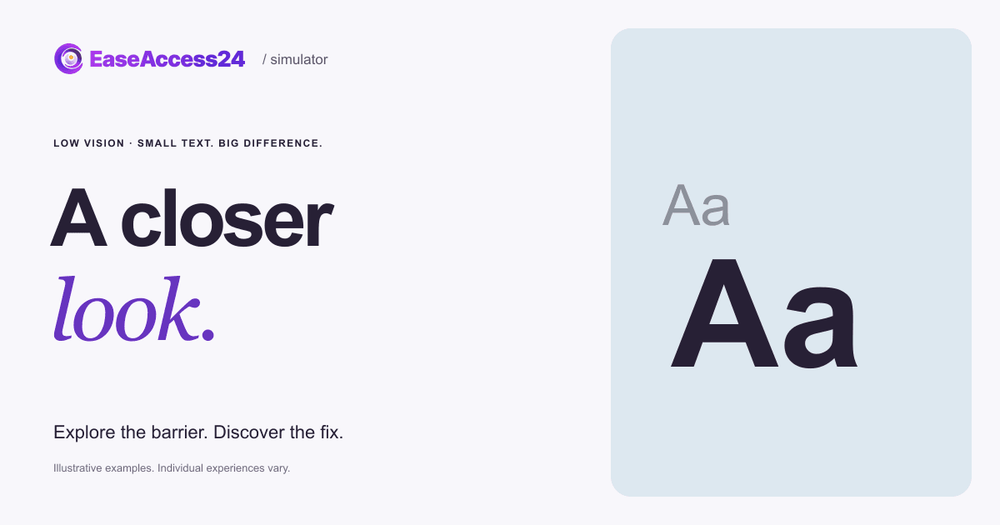
The Accessibility Simulator example A closer look puts you on a fictional event page with the text already enlarged to 200%. Your task is simple: find the time the doors open.
In the original version, faint colors and a rigid box hide the detail you need. The enlarged text is clipped, so you have to hunt for it. Select Show the fix and the text stays at 200%, but the contrast is stronger and the text wraps inside its container. The answer is now in plain view.
The example does not reproduce anyone's sight. Low vision varies widely, and this is one design barrier among many. It shows that the same enlargement can be usable or unusable depending only on the page's CSS.
How to fix low-vision barriers on your website
The WCAG 2.2 success criteria most relevant to low vision are listed in brackets [9].
- Give text enough contrast (1.4.3 Contrast (Minimum), Level AA). Body text needs a contrast ratio of at least 4.5:1 with its background; large text needs at least 3:1. Test color pairs with our free contrast checker. For key content, aim higher (1.4.6 Contrast (Enhanced), Level AAA: 7:1).
- Keep controls and graphics visible (1.4.11 Non-text Contrast, Level AA). Input borders, icons that carry meaning and focus indicators need at least 3:1 contrast against adjacent colors.
- Let text resize to 200% (1.4.4 Resize Text, Level AA). Use relative units such as
remandem, and test with the browser's text-size setting as well as page zoom. - Make content reflow (1.4.10 Reflow, Level AA). At a width equivalent to 320 CSS pixels (400% zoom on a 1280-pixel-wide screen), content should fit in one column without horizontal scrolling. Use responsive layouts and avoid fixed widths.
- Avoid fixed heights and hidden overflow on text containers. Let boxes grow with their content.
overflow: hiddenon a card with text is a common cause of clipped content at larger sizes. - Allow users to adjust spacing (1.4.12 Text Spacing, Level AA). Content should still work when users increase line height, letter spacing and word spacing.
- Keep focus visible and unobscured (2.4.7 Focus Visible, Level AA; 2.4.11 Focus Not Obscured (Minimum), Level AA). Sticky headers and cookie banners should not cover the element that has keyboard focus.
- Test at 200% text size and at 400% zoom. Walk through your most important tasks, such as finding opening times, booking or paying, at both settings.
An automated scan with our accessibility checker will flag many contrast failures. Reflow and clipping problems usually need someone to zoom in and try the pages. For the background on how these criteria fit together, see our complete guide to WCAG principles, levels and standards.
What the European Accessibility Act means for low vision
The European Accessibility Act (Directive (EU) 2019/882) applies to products placed on the market and services provided to consumers after 28 June 2025 [10]. It covers, among others, e-commerce, consumer banking, e-books, electronic communications and elements of passenger transport services [10][11].
Several requirements in Annex I speak directly to low vision:
- Information about a service must be presented "in fonts of adequate size and suitable shape, taking into account foreseeable conditions of use and using sufficient contrast, as well as adjustable spacing between letters, lines and paragraphs" (Annex I, Section III, point (b)(v)).
- Websites and mobile applications must be made accessible "in a consistent and adequate way by making them perceivable, operable, understandable and robust" (Annex I, Section III, point (c)).
- Product user interfaces that use visual elements must "provide for flexible magnification, brightness and contrast" (Annex I, Section I, point 2(c)).
- Where visual modes of operation are provided, at least one mode must enable "users to operate the product with limited vision" (Annex I, Section VII, point (b), functional performance criteria).
EU web accessibility testing is usually done against EN 301 549, which incorporates WCAG 2.1 Level AA for web content [12]. Contrast, Resize Text and Reflow are all Level AA criteria in both WCAG 2.1 and 2.2. Microenterprises providing services are exempt from the Directive's service requirements [10], though their older and low-vision customers face the same barriers.
Frequently asked questions
How many people in Europe are visually impaired?
It depends on the definition. WHO/Europe estimates about 90 million people with vision impairment or blindness across the WHO European Region [1]. The European Blind Union estimates over 30 million blind and partially sighted people in geographical Europe [3]. In the EU's 2019 health interview survey, 2.1% of people aged 15+ reported severe difficulty seeing, even with glasses [8].
What is the difference between low vision and blindness?
Most people with sight loss are not blind. The European Blind Union notes that there are four times as many partially sighted people as blind people [3]. People with low vision usually still read the screen, but need larger text, stronger contrast or magnification to do so.
What contrast ratio does WCAG require?
WCAG 2.2 success criterion 1.4.3 requires a contrast ratio of at least 4.5:1 for normal text and 3:1 for large text at Level AA. Criterion 1.4.11 requires 3:1 for meaningful graphics and interface component boundaries [9].
Is browser zoom enough for people with low vision?
Only if the website supports it. Browser zoom and text enlargement depend on a layout that can grow and reflow. Fixed-height boxes, hidden overflow and wide fixed layouts can cut content off or force sideways scrolling at 200% or 400%.
How do I test my site for low vision?
Check contrast with a contrast checker, increase text size to 200% in browser settings, zoom to 400% on a desktop browser, and complete your key tasks. Look for clipped text, overlapping elements and horizontal scrolling. An accessibility audit can document the failures and the fixes.
Next step
Try the A closer look example, then open your own site at 200% text size. If information disappears or needs sideways scrolling, start with contrast, flexible containers and reflow.
Sources
- WHO Regional Office for Europe. "Vision and hearing loss" fact sheet, 30 January 2023. https://www.who.int/europe/news-room/fact-sheets/item/vision-and-hearing-loss
- WHO Regional Office for Europe. "Eye and vision care" questions and answers, 7 June 2023. https://www.who.int/europe/news-room/questions-and-answers/item/eye-and-vision-care
- European Blind Union. "Facts and figures." https://euroblind.org/about-blindness-and-partial-sight/facts-and-figures
- IAPB Vision Atlas. "Western Europe: GBD Region snapshot" (VLEG/GBD 2020 model), February 2021. https://www.iapb.org/wp-content/uploads/2021/02/Vision-Atlas_Western-Europe-Snapshot_24022021.pdf
- IAPB Vision Atlas. "Central Europe: GBD Region snapshot" (VLEG/GBD 2020 model), February 2021. https://www.iapb.org/wp-content/uploads/2021/02/Vision-Atlas_Central-Europe-Snapshot_24022021.pdf
- Eurostat. European Health Interview Survey (EHIS wave 3) Methodological manual, 2020 re-edition, question PL2. https://www.cso.ie/en/media/csoie/methods/irishhealthsurveyihs/EHIS_Wave_3_Methodological_Manual.pdf
- Eurostat. European health interview survey (hlth_det), reference metadata. https://ec.europa.eu/eurostat/cache/metadata/en/hlth_det_esms.htm
- Eurostat. Functional limitations by sex, age and educational attainment level (hlth_ehis_pl1e), 2019, health problem "Seeing". https://ec.europa.eu/eurostat/databrowser/view/hlth_ehis_pl1e/default/table
- W3C. Web Content Accessibility Guidelines (WCAG) 2.2, and Understanding SC 1.4.10 Reflow. https://www.w3.org/TR/WCAG22/ and https://www.w3.org/WAI/WCAG22/Understanding/reflow.html
- Directive (EU) 2019/882 (European Accessibility Act), Articles 2, 4 and Annex I. https://eur-lex.europa.eu/eli/dir/2019/882/oj/eng
- European Commission. "European Accessibility Act." https://commission.europa.eu/strategy-and-policy/policies/justice-and-fundamental-rights/disability/union-equality-strategy-rights-persons-disabilities-2021-2030/european-accessibility-act_en
- W3C Web Accessibility Initiative. "Web Accessibility Laws & Policies: European Union." https://www.w3.org/WAI/policies/european-union/