If a customer cannot reach your Continue button with the Tab key, they cannot buy from you, however good the rest of the page looks.
Quick answer
Keyboard accessibility means every link, button and form field can be reached and used without a mouse, in a logical order, with a visible focus outline. In 2025, 24.2% of people aged 16 and over in the EU reported a disability (activity limitation), around 92 million people by our calculation, according to Eurostat. Many of them, including blind screen reader users and people with motor disabilities, rely on a keyboard or a device that behaves like one. WCAG 2.2 covers this in 2.1.1 Keyboard, 2.4.3 Focus Order, 2.4.7 Focus Visible and 2.4.11 Focus Not Obscured (Minimum).
Who relies on keyboard access?
"Keyboard users" are not one group. The same keyboard interface serves people with very different needs:
- Blind and partially sighted people using screen readers. Screen readers are driven from the keyboard. A blind user cannot aim a mouse pointer at something they cannot see, so they move through a page with Tab, arrow keys and shortcuts.
- People with motor disabilities. Tremor, arthritis, multiple sclerosis, cerebral palsy, a stroke or a repetitive strain injury can make precise mouse movement painful or impossible. A keyboard needs presses, not aiming.
- Switch and alternative input users. People with very limited movement may use one or two switches, a mouth stick, head tracking or eye gaze. Most of these tools send keyboard events or move through the same focus order a keyboard does.
- Voice control users. Voice software often relies on the same accessible names and focusable elements as keyboard navigation.
- Power users and people with temporary limitations. Developers, data-entry staff and anyone with a broken wrist or a dead trackpad battery use the keyboard too.
That is why keyboard support is the foundation for so many other kinds of access: if something does not work from the keyboard, it usually fails for assistive technology as well.
How many people in Europe does this affect?
No official statistic counts "keyboard-only users" in Europe. Neither Eurostat nor national statistics offices ask how people operate a computer. What the data does show is how many people live with the disabilities that most often lead to keyboard or switch use.
EU-wide figures (latest available):
- 24.2% of people aged 16 and over in the EU reported a disability (some or severe long-standing limitation in usual activities) in 2025; 6.9% reported a severe limitation. Source: Eurostat, EU-SILC 2025, self-reported.
- Applied to the EU population aged 16 and over on 1 January 2025 (381.6 million), that is roughly 92 million people with a disability and 26 million with a severe one. This is our own calculation from Eurostat data, not an official Eurostat count.
- 2.5% of people aged 16 and over (about 9.5 million by the same calculation) reported severe difficulty seeing in 2025, and 19.7% reported moderate or severe difficulty. Source: Eurostat, EU-SILC 2025.
- In the wider WHO European Region, WHO estimates that approximately 90 million people have vision impairment or blindness.
- Difficulties grow with age: in 2025, 65.3% of people aged 65 and over in the EU reported moderate or severe difficulty in at least one basic activity (seeing, hearing, walking, remembering or concentrating, communicating or self-care), against 28.2% of people aged 16 to 64.
Country-level figures, EU-SILC 2025 (people aged 16 and over, self-reported):
| Country | Disability (some or severe) | Severe disability | Severe difficulty seeing |
|---|---|---|---|
| EU-27 | 24.2% | 6.9% | 2.5% |
| Germany | 28.9% | 8.7% | 3.3% |
| France | 25.8% | 9.8% | 2.3% |
| Italy | 16.5% | 5.7% | 1.9% |
| Spain | 20.2% | 4.2% | 3.2% |
| Poland | 23.7% | 6.6% | 2.7% |
| Netherlands | 32.5% | 4.5% | 1.4% |
| Belgium | 25.4% | 8.8% | 1.3% |
| Austria | 30.5% | 8.2% | 1.8% |
| Sweden | 22.3% | 4.9% | 2.0% |
| Denmark | 29.1% | 5.0% | 3.5% |
| Finland | 35.0% | 7.9% | 3.0% |
| Ireland | 20.6% | 5.2% | 1.6% |
| Portugal | 23.8% | 4.8% | 3.3% |
Sources: Eurostat datasets hlth_silc_12 (disability) and ilc_hch19 (difficulty seeing), 2025, retrieved November 2026. These are survey answers, so differences between countries partly reflect how people interpret the questions, not only real differences in health.
These figures do not tell you how many of your visitors use a keyboard. They do show that the groups most likely to depend on keyboard access are not a niche: they are a sizeable share of every European market.
How keyboard barriers show up on real websites
Most keyboard failures are not exotic. They come from a handful of common patterns:
- The focus outline has been removed. A line such as
outline: nonein a stylesheet makes the page look cleaner and leaves keyboard users guessing where they are. - The focus order jumps around. Visual layout changes with CSS, positive
tabindexvalues or content injected at the end of the page send focus from the top of the form to the footer and back again. - Custom controls are not focusable. A "button" built from a
divwith a click handler is invisible to the Tab key. The same goes for custom dropdowns, date pickers and image carousels. - Keyboard traps. Focus enters a widget, such as an embedded map, chat window or modal, and cannot get out.
- Focus hidden behind sticky elements. A sticky header, cookie banner or chat bubble covers the element that currently has focus.
- No way to skip repeated content. Without a skip link or proper landmarks, users Tab through the same 40 menu links on every page.
- Hover-only content. Menus or tooltips that open only on mouse hover never open from the keyboard.
In a checkout, any one of these can stop a purchase. The visitor does not file a bug report; they leave.
Try it yourself
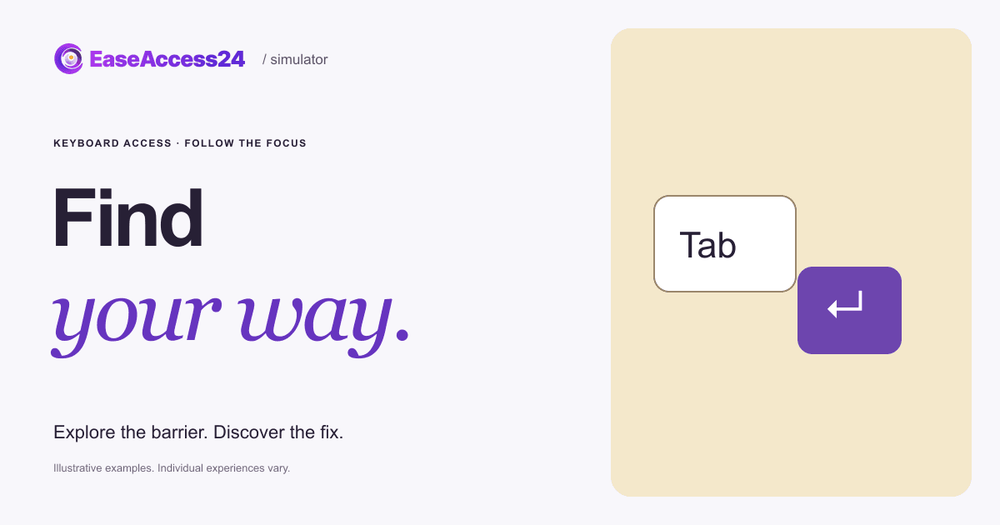
Our free Accessibility Simulator keyboard example, "Find your way" puts you on a fictional concert ticket checkout with no mouse, only the Tab key. Your task is to choose a ticket and a quantity, then Tab to Continue.
In the inaccessible version, the focus outline is hard to see and the route jumps around: from Continue to ticket type to quantity, so you reach the button before you have made your choices. When you select Show the fix, the controls follow a logical order (ticket type, quantity, then Continue) with a clear outline, and your booking choices stay selected. You can switch between the two versions as often as you like. On a touch screen, a Next focus button steps through the same route.
The example illustrates one design barrier. It is not a model of anyone's lived experience, and real keyboard and screen reader use varies widely from person to person.
How to fix keyboard accessibility on your website
Use this checklist as a starting point. The WCAG 2.2 success criteria in brackets are the ones most often involved.
Make everything reachable and operable
- Use native HTML elements:
<a href>for links,<button>for actions, and real<input>,<select>and<textarea>for forms. They are focusable and respond to Enter and Space by default. (2.1.1 Keyboard, Level A) - If you must build a custom widget, give it
tabindex="0", an appropriate role and full keyboard handling, following the patterns in the WAI-ARIA Authoring Practices. - Make sure users can always Tab or Escape out of every component, including modals and embedded content. (2.1.2 No Keyboard Trap, Level A)
- If you use single-key shortcuts, let users turn them off or remap them. (2.1.4 Character Key Shortcuts, Level A)
Keep the order logical
- Keep the source order the same as the visual order, and avoid positive
tabindexvalues. (2.4.3 Focus Order, Level A) - When a dialog opens, move focus into it; when it closes, return focus to the control that opened it.
- Add a "Skip to main content" link and use landmarks such as
<header>,<nav>and<main>. (2.4.1 Bypass Blocks, Level A)
Make focus visible
- Never remove the focus outline without a clearly visible replacement. A solid outline with good contrast and a small offset, applied with
:focus-visible, works on any background. (2.4.7 Focus Visible, Level AA) - Check that sticky headers, cookie banners and chat widgets never completely cover the focused element; add
scroll-paddingwhere needed. (2.4.11 Focus Not Obscured (Minimum), Level AA) - For a stronger target, aim for a focus indicator that is large and high contrast. (2.4.13 Focus Appearance, Level AAA)
- Do not trigger unexpected changes, such as submitting a form or opening a new page, just because an element receives focus. (3.2.1 On Focus, Level A)
Test it
- Unplug the mouse and complete your top three user journeys (for example search, add to basket and checkout) with Tab, Shift+Tab, Enter, Space, the arrow keys and Escape.
- Then repeat a journey with a screen reader such as NVDA or VoiceOver.
Automated tools can find some of these problems, such as missing names or positive tabindex, but focus order and focus visibility need a person. A free scan with the EaseAccess24 accessibility checker is a quick first step; a manual accessibility audit covers the keyboard journeys that automated tools miss. If you are new to the success criteria and conformance levels, our complete guide to WCAG principles, levels and standards explains how they fit together.
What the European Accessibility Act means for keyboard access
The European Accessibility Act (Directive (EU) 2019/882) applies to products placed on the market and services provided to consumers after 28 June 2025. The services covered include e-commerce, consumer banking, e-books, services providing access to audiovisual media, electronic communications, and elements of air, bus, rail and waterborne passenger transport services, such as websites and mobile apps.
The Directive does not mention the Tab key, but its requirements point straight at keyboard access:
- Services must make websites and mobile applications accessible "in a consistent and adequate way by making them perceivable, operable, understandable and robust" (Annex I, Section III, point (c)).
- Where a product or service provides visual modes of operation, it must "provide at least one mode of operation that does not require vision" (Annex I, Section VII, point (a), functional performance criteria). For websites, that mode is usually a screen reader driven from the keyboard.
- Where manual actions are needed, there must be "at least one mode of operation that enables users to make use of the product through alternative actions not requiring fine motor control and manipulation, hand strength or operation of more than one control at the same time" (Annex I, Section VII, point (g)).
Microenterprises providing services (fewer than 10 employees and an annual turnover or balance sheet total of no more than EUR 2 million) are exempt from the service accessibility requirements. National laws transposing the Directive set out enforcement and penalties, and these differ by country. In practice, WCAG 2.2 Level AA is the most widely used benchmark for showing that a website is operable, and the keyboard criteria above are among the first things testers check.
FAQ
What is keyboard accessibility?
Keyboard accessibility means that everything on a page that can be done with a mouse can also be done with a keyboard alone, in a predictable order, with a visible indicator of where the keyboard focus is.
Who uses a website without a mouse?
Blind and partially sighted people using screen readers, people with motor disabilities such as tremor or arthritis, switch and eye-gaze users, voice control users, and many power users. Many people also switch to the keyboard temporarily after an injury.
Which WCAG 2.2 criteria cover keyboard access?
The core criteria are 2.1.1 Keyboard (A), 2.1.2 No Keyboard Trap (A), 2.4.3 Focus Order (A), 2.4.7 Focus Visible (AA) and, new in WCAG 2.2, 2.4.11 Focus Not Obscured (Minimum) (AA). 2.4.1 Bypass Blocks (A) and 2.1.4 Character Key Shortcuts (A) are closely related.
Is it acceptable to remove the focus outline if it looks ugly?
Only if you replace it with a focus style that is at least as visible. Removing it without a replacement fails 2.4.7 Focus Visible. Using :focus-visible lets you show a strong outline for keyboard users without changing how mouse clicks look.
How do I test keyboard accessibility quickly?
Put the mouse aside and try to complete your most important journey with Tab, Shift+Tab, Enter, Space, the arrow keys and Escape. Note every point where you cannot see where you are, cannot reach a control, or get stuck.
Check your checkout
If you are not sure how your own site performs, start with the free EaseAccess24 accessibility checker, then try the keyboard example in the simulator with your team to see why focus order matters.
Sources
- Eurostat, Level of disability (activity limitation) by sex, age and income quintile (hlth_silc_12), EU-SILC 2025, people aged 16+: https://ec.europa.eu/eurostat/databrowser/view/hlth_silc_12/default/table
- Eurostat, Persons reporting basic activity difficulty by sex, age, level of difficulty, type of basic action and risk of poverty threshold (ilc_hch19), EU-SILC 2025, people aged 16+: https://ec.europa.eu/eurostat/databrowser/view/ilc_hch19/default/table
- Eurostat, Population on 1 January by age and sex (demo_pjan), 2025: https://ec.europa.eu/eurostat/databrowser/view/demo_pjan/default/table
- WHO Regional Office for Europe, Vision and hearing loss fact sheet (30 January 2023): https://www.who.int/europe/news-room/fact-sheets/item/vision-and-hearing-loss
- W3C, Web Content Accessibility Guidelines (WCAG) 2.2: https://www.w3.org/TR/WCAG22/
- W3C, Understanding Success Criterion 2.4.3: Focus Order: https://www.w3.org/WAI/WCAG22/Understanding/focus-order.html
- Directive (EU) 2019/882 on the accessibility requirements for products and services (European Accessibility Act): https://eur-lex.europa.eu/eli/dir/2019/882/oj
- European Commission, European Accessibility Act: https://commission.europa.eu/strategy-and-policy/policies/justice-and-fundamental-rights/disability/union-equality-strategy-rights-persons-disabilities-2021-2030/european-accessibility-act_en
- EaseAccess24 Accessibility Simulator, Find your way (keyboard access): https://simulator.easeaccess24.com/simulate/keyboard/