Countdown timers and silent session timeouts lock out millions of European customers who simply need a little longer.
Quick answer
Nearly one in four people aged 16 and over in the EU (24.2% in 2025, Eurostat) report a long-standing limitation in everyday activities, and about 22% of the EU population is 65 or older. Many of these customers read, decide or type more slowly, and a short checkout timer or an unannounced session timeout can empty their basket before they finish. WCAG 2.2 success criterion 2.2.1 Timing Adjustable asks you to let people turn off, adjust or extend time limits. Under the European Accessibility Act, which has applied since 28 June 2025, this matters for every EU e-commerce checkout.
Time limits are everywhere online: ticket holds, payment pages, banking sessions, booking forms, quizzes and "offer ends in 05:00" banners. To the team that built them they feel harmless, because the team knows the form by heart. To a customer who uses a screen reader, has a tremor, has dementia or is just reading in their second language, the same timer can be the whole reason they abandon the purchase.
This article looks at how many people in Europe are likely to need more time, what time limits do to them, and how to design timers and timeouts that keep everyone in the journey.
How many people in Europe need more time online?
There is no official statistic for "people who need extra time on websites". Instead, we can look at the groups most likely to be affected: people with disabilities or activity limitations, older people, people living with dementia and people with vision loss. The groups overlap, so the numbers below should not be added together.
Disability and activity limitation in the EU
Eurostat measures disability in the EU-SILC household survey with the Global Activity Limitation Indicator (GALI): people who say a health problem has limited their usual activities for at least six months. In 2025, 24.2% of people aged 16 and over in the EU-27 reported some or severe limitation. Among people aged 65 and over the share was 47.5%, and among those aged 75 and over it was 58.1%. The European Commission puts the total at 90 million people in the EU living with a disability.
| Area | People aged 16+ with an activity limitation, 2025 |
|---|---|
| EU-27 | 24.2% |
| Finland | 35.0% |
| Netherlands | 32.5% |
| Austria | 30.5% |
| Denmark | 29.1% |
| Germany | 28.9% |
| France | 25.8% |
| Poland | 23.7% |
| Sweden | 22.3% |
| Spain | 20.2% |
| Italy | 16.5% |
Source: Eurostat, dataset hlth_silc_12 (EU-SILC, self-reported "some" or "severe" limitation, people aged 16+, updated October 2026). Differences between countries partly reflect how people answer the survey question. The survey excludes people living in institutions such as care homes, so it undercounts.
An ageing population that shops online
On 1 January 2025, about 22% of the EU population was aged 65 or over and 6.2% was 80 or over (Eurostat). Italy (24.7%), Bulgaria (24.0%) and Greece (23.7%) had among the highest shares of people aged 65+, while Ireland (15.7%) and Luxembourg (15.2%) had the lowest.
Older Europeans are very much online customers. In 2025, 80.7% of people aged 65–74 in the EU had used the internet in the past year, and 44.4% had bought something online (Eurostat ICT household survey). In the Netherlands the share of 65–74-year-olds who shopped online was 84.0%, in Denmark 82.3%, in Germany 61.0% and in France 55.7%.
Aging does not make anyone incapable of using a website, but slower reading, changes in vision and dexterity, and less familiarity with a particular site all add time to a task.
Dementia, vision loss and other reasons for needing time
- Dementia: WHO/Europe estimates that dementia affected more than 14 million people in the WHO European Region in 2019, with prevalence expected to double by 2030. Alzheimer Europe estimated 7.85 million people living with dementia in the EU-27 (Dementia in Europe Yearbook 2019).
- Vision loss: The IAPB Vision Atlas estimates 32.4 million people with vision loss in Western Europe and 18.4 million in Central Europe in 2020 (modelled estimates, all levels of severity including near-vision loss). Many people with low vision use screen magnifiers or screen readers, which take longer than scanning a page by eye.
- Other groups are harder to count but just as real: people with motor disabilities who type with a switch, head pointer or voice; people with anxiety; people reading in a second language; and anyone interrupted by a child, a doorbell or a phone call.
How time limits affect people on websites
Time limits create problems whenever the time someone needs is longer than the time a designer guessed. Common barriers include:
- Short checkout or ticket-hold timers. A 5-minute hold can be fine for a fast mouse user and impossible for someone navigating a long page with a screen reader, reading every field label and error message in turn.
- Silent session timeouts. A banking or government form logs the user out after 10 or 15 minutes of "inactivity", even though they were reading terms, finding a document or typing slowly. Often there is no warning at all.
- Losing everything on expiry. The worst version of a timeout empties the basket or wipes the form, so the customer has to start again, often against the same clock.
- Timers that are hard to perceive. A small countdown in a corner may be invisible at 200% zoom, in a screen magnifier or to a screen reader user if it is not announced at the right moments.
- Pressure tactics. "Only 3 minutes left at this price" banners add stress, which makes reading and decision-making slower for many people, especially those with cognitive or anxiety-related conditions.
- Re-login traps. When an authenticated session expires, some sites send users back to the start after they log in again, instead of returning them to where they were.
For a person with a cognitive disability, reading and understanding a cancellation policy may take several times longer than average. For a person with a tremor, entering card details accurately may take several attempts. Neither is a problem for the business unless a timer ends the transaction first.
Try it yourself
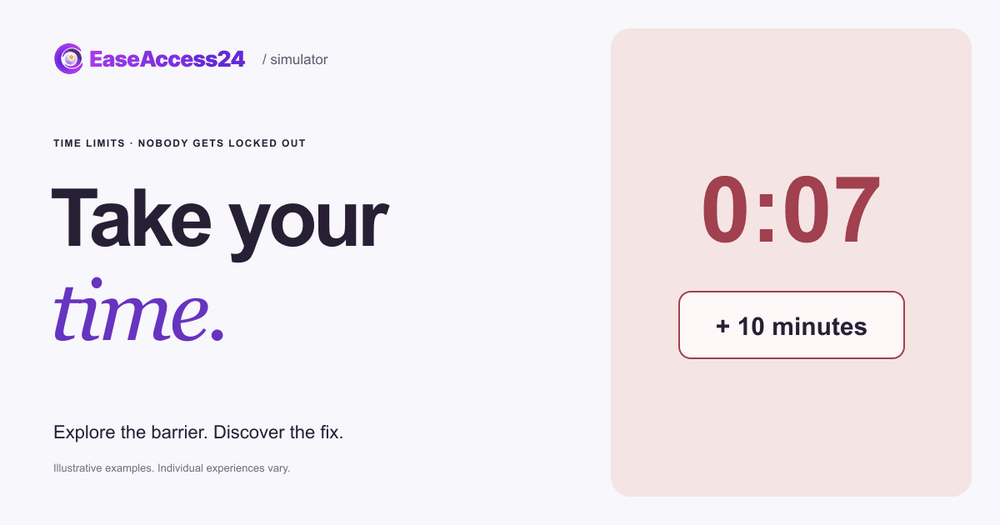
Our free interactive example, Take your time, puts you in a fictional concert ticket checkout. Your task is simple: choose a delivery method, accept the terms and pay.
In the inaccessible version, a small timer in the corner holds your tickets for only 20 seconds. When it runs out, the basket empties with no warning and no way to ask for more time. The timer is part of the barrier, so it keeps running even if you pause other effects. Most people find themselves rushing, misreading or giving up.
Then select Show the fix. The fixed checkout holds your tickets for 10 minutes, shows the time remaining clearly and offers an Add 10 minutes button, so nobody loses their choices. Your delivery choice carries over between the two versions, and you can switch back and forth as often as you like.
The example exaggerates the timer to make the barrier obvious in a few seconds. Real timers are usually longer, but so are real checkouts, and the effect on people who need more time is the same.
How to fix time limits on your website
Start by listing every place in your key journeys where time can run out: ticket or stock holds, payment and 3-D Secure steps, login sessions, multi-step forms, one-time codes, quizzes and countdown offers. Then work through this checklist.
- Remove time limits you don't truly need. Many timeouts exist only because a framework set a default. If there is no real reason, such as releasing limited stock, switch it off. (WCAG 2.2.1 Timing Adjustable, Level A)
- Let people turn off, adjust or extend the limit. Under 2.2.1, at least one of these must be true: the user can turn the limit off; they can adjust it to at least ten times the default; or they are warned before it expires, given at least 20 seconds to extend it with a simple action such as one button, and can extend it at least ten times. (2.2.1, Level A)
- Warn clearly before time runs out. Show the warning in a dialog or live region that screen readers announce, move focus to the extend button, and keep the wording plain: "Your tickets are held for 2 more minutes. Add 10 minutes?" (2.2.1, Level A; 4.1.3 Status Messages, Level AA)
- Keep people's data when time runs out. Save the basket, form entries and choices so the customer can pick up where they left off. If they must log in again, return them to the same step with their data intact. (2.2.5 Re-authenticating, Level AAA)
- Tell people up front how long they have. If inactivity could cause data loss, say so before the task starts ("We hold your seats for 10 minutes; you can add more time"), unless you keep the data for more than 20 hours. (2.2.6 Timeouts, Level AAA)
- Make the timer perceivable but calm. Show remaining time in text, readable at 200% zoom, without announcing every second to screen readers. Avoid flashing or red alarm styling that adds pressure. (1.4.4 Resize Text, Level AA; 2.2.2 Pause, Stop, Hide, Level A for auto-updating content)
- Use the exceptions honestly. WCAG allows time limits that are part of a real-time event such as an auction, that are essential to the activity, or that are longer than 20 hours. A "sale ends tonight" banner on a normal product is not essential.
- Test with real users and assistive technology. Time a screen reader user, a keyboard-only user and someone unfamiliar with your site completing the journey. If any of them comes close to the limit, it is too short.
Automated tools can find some related issues, such as missing live regions or unlabeled buttons, but they cannot tell you whether a timer is long enough. A quick scan with our free accessibility checker is a good first step; timing problems usually need manual testing as part of an accessibility audit. For background on the A, AA and AAA levels mentioned above, see our complete guide to WCAG principles and levels.
What the European Accessibility Act means for time limits
The European Accessibility Act (Directive (EU) 2019/882) has applied since 28 June 2025. Its scope explicitly includes e-commerce services, defined as services provided at a distance through websites and mobile apps "with a view to concluding a consumer contract". In practice, that covers most online checkouts selling to consumers in the EU, along with banking, transport ticketing and other covered services. Microenterprises providing services are exempt.
The Act requires websites to be perceivable, operable, understandable and robust. Its Annex II gives examples of how to meet these requirements, including "giving users enough time to read" and "providing enough time to enter a password so that is easy to use for persons with intellectual disabilities". Time limits are therefore named directly in the law's own guidance.
The Act does not name WCAG itself. Conformity is usually shown through the harmonised European standard EN 301 549. The version currently cited, V3.2.1, is based on WCAG 2.1 Level AA, which already includes 2.2.1 Timing Adjustable. A new version, V4.1.1, was published in September 2026 and aligns with WCAG 2.2 Level AA; it is expected to be cited in the Official Journal of the EU in December 2026. Either way, adjustable time limits are part of the baseline, while 2.2.5 and 2.2.6 are AAA best practice.
FAQ
Are checkout timers allowed under WCAG?
Yes, as long as users can turn them off, adjust them to at least ten times the default, or extend them with a simple action after a warning of at least 20 seconds. Timers that are essential, such as a live auction, or longer than 20 hours are exempt.
How long should a session timeout be?
WCAG doesn't set a fixed length. What matters is that people are warned and can extend the session easily, and that their data isn't lost. For security-sensitive services such as banking, a short timeout is acceptable if it comes with a clear, accessible warning and an easy way to continue.
Do I have to warn screen reader users before a timeout?
The warning must be available to everyone, including screen reader users. In practice that means a dialog or live region that assistive technology announces, with keyboard focus moved to the "extend" button so it can be activated immediately.
Does the European Accessibility Act apply to my booking or ticketing site?
If you sell to consumers in the EU through a website or app and you are not a microenterprise, your service is very likely an e-commerce service under the Act. National laws implementing the Act set out the details and penalties in each country.
Is a "limited-time offer" countdown an accessibility problem?
A countdown that only advertises a deadline is not a time limit on the user's task, but it can add pressure and distraction. If the countdown can end a transaction in progress, the rules on adjustable time limits apply.
Time limits are one of the easiest barriers to overlook and one of the simplest to fix. If you're not sure where they hide in your journeys, our team can review your key flows and help you remove or extend them.
Sources
- Eurostat, "Level of disability (activity limitation) by sex, age and income quintile" (hlth_silc_12), EU-SILC, 2025 data: https://ec.europa.eu/eurostat/databrowser/view/hlth_silc_12/default/table
- Eurostat, Statistics Explained, "Population with disability": https://ec.europa.eu/eurostat/statistics-explained/index.php?title=Population_with_disability
- European Commission, "Union of Equality: Strategy for the rights of persons with disabilities 2021-2030": https://commission.europa.eu/strategy-and-policy/policies/justice-and-fundamental-rights/disability/union-equality-strategy-rights-persons-disabilities-2021-2030_en
- Eurostat, Statistics Explained, "Population structure and ageing", and dataset demo_pjanind (1 January 2025): https://ec.europa.eu/eurostat/statistics-explained/index.php?title=Population_structure_and_ageing
- Eurostat, "Internet purchases by individuals" (isoc_ec_ib20) and "Individuals – internet use" (isoc_ci_ifp_iu), 2025: https://ec.europa.eu/eurostat/databrowser/view/isoc_ec_ib20/default/table
- WHO Regional Office for Europe, "From cradle to cane: WHO's new European health report warns of lifelong health crises across the Region" (25 February 2025): https://www.who.int/europe/news-room/25-02-2025-from-cradle-to-cane--who-s-new-european-health-report-warns-of-lifelong-health-crises-across-the-region
- Alzheimer Europe, Dementia in Europe Yearbook 2019, press release (18 February 2020): https://www.eurekalert.org/news-releases/815689
- IAPB Vision Atlas, Western Europe snapshot (2020 estimates): https://www.iapb.org/wp-content/uploads/2021/02/Vision-Atlas_Western-Europe-Snapshot_24022021.pdf
- IAPB Vision Atlas, Central Europe snapshot (2020 estimates): https://www.iapb.org/wp-content/uploads/2021/02/Vision-Atlas_Central-Europe-Snapshot_24022021.pdf
- Directive (EU) 2019/882 (European Accessibility Act): https://eur-lex.europa.eu/eli/dir/2019/882/oj
- European Commission, "Web Accessibility Directive – standards and harmonisation": https://digital-strategy.ec.europa.eu/en/policies/web-accessibility-directive-standards-and-harmonisation
- National Disability Authority (Ireland), "EN 301 549 V4.1.1 published": https://nda.ie/news/en301549-published
- W3C, Understanding WCAG 2.2: 2.2.1 Timing Adjustable: https://www.w3.org/WAI/WCAG22/Understanding/timing-adjustable.html
- W3C, Understanding WCAG 2.2: 2.2.5 Re-authenticating: https://www.w3.org/WAI/WCAG22/Understanding/re-authenticating.html
- W3C, Understanding WCAG 2.2: 2.2.6 Timeouts: https://www.w3.org/WAI/WCAG22/Understanding/timeouts.html