What Happens If I Exceed My Plan Limits?
Each EaseAccess24 subscription plan includes defined limits based on features such as scan volume, monitoring capacity, or domain usage.
If you reach your plan limits, the affected feature — such as scanning or monitoring — will automatically pause. This ensures predictable usage and prevents unexpected overages.
Immediate Notification
As soon as a limit is reached, you will receive a notification inside the platform. This alert clearly explains:
• Which limit has been reached
• Which feature has been paused
• What options are available to continue
No silent interruptions. No hidden charges.
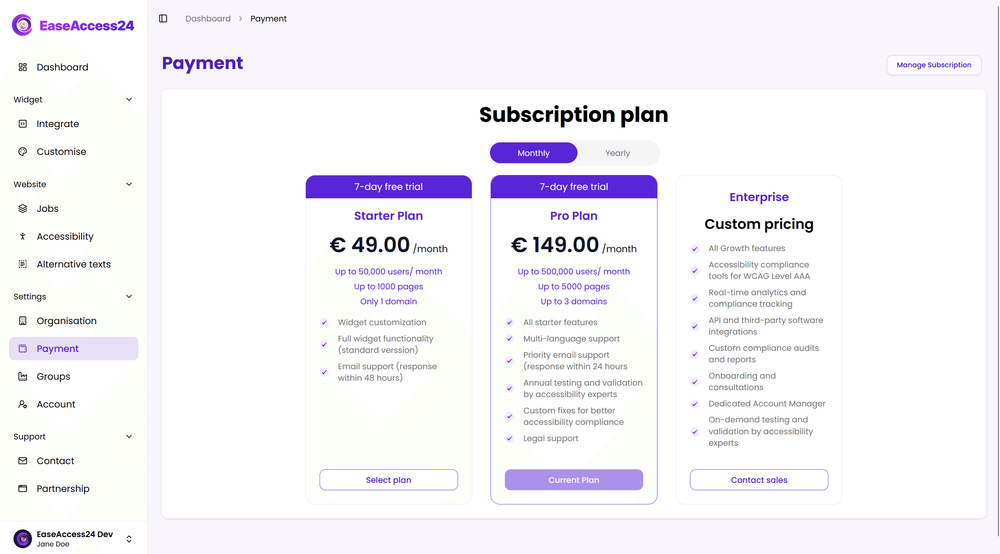
Upgrading Your Plan
You can upgrade your subscription directly from the billing section in your account settings.
Once upgraded, your expanded limits are activated immediately. Scanning or monitoring resumes without losing historical data or previously completed work.
This ensures continuity and allows your accessibility workflow to continue seamlessly.
Custom or Enterprise Needs
If your organisation requires higher thresholds, additional domains, or tailored usage configurations, custom enterprise plans can be arranged.
Our team can assist in structuring a plan that aligns with your accessibility strategy and operational scale.
Predictable and Transparent Scaling
EaseAccess24 is designed to scale with your organisation.
When limits are reached, activity pauses transparently — giving you full control over when and how to expand your plan.
Your accessibility progress remains secure, structured, and ready to continue at any time.